
Hooks & Templates
Published Apr 2, 2026
The first two seconds of your video decide whether someone keeps watching or scrolls on. Hooks give you the tools to make those seconds impossible to ignore.
What's a Hook?
A hook is a text overlay that appears at the start of your video — a bold headline, a provocative question, or a teaser that promises payoff. In the Hook tab you type your text, choose a font and color, pick a position on screen, and set an animation.
Available hook animations:
- Blur In — text fades in from a soft blur
- Typewriter — characters appear one by one
- Bounce — text drops in with a springy bounce
- Slide Up — text rises into position from below
- Fade — simple opacity fade-in
- Scale Pop — text scales up from small to full size
Hook Templates
If writing a hook from scratch feels like too much work, Hook Templates do the heavy lifting. A template is a pre-built multi-step intro sequence — it coordinates B-Roll clips, a text overlay, camera effects, and a sound cue, all timed to feel professional. Pick a template, assign your B-Roll clips, and you've got a polished intro in one click.
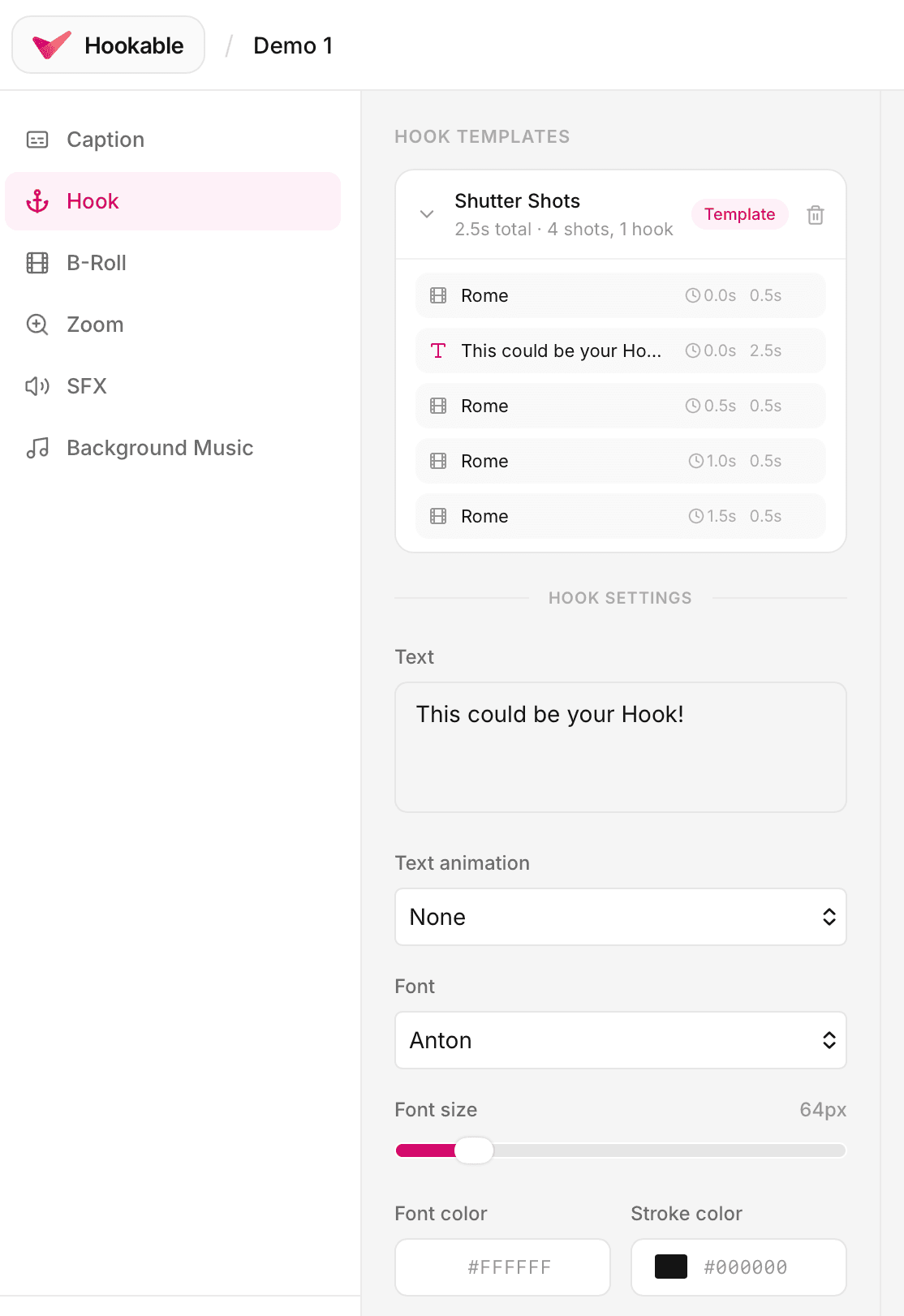
Templates are a great starting point even if you end up tweaking every setting afterward. They're available from the Hook tab in the editor.
Customizing Your Hook
Whether you started from a template or built from scratch, every hook setting is adjustable:
- Text — what your hook says (keep it short and punchy)
- Font & color — match your brand or go loud for contrast
- Position — top, center, or bottom of frame
- Animation — how the text enters the screen
- Duration — how long the hook stays visible
- Sound — attach a sound effect that fires when the hook appears
- Disable captions— hide captions while the hook is on screen so they don't compete for attention